


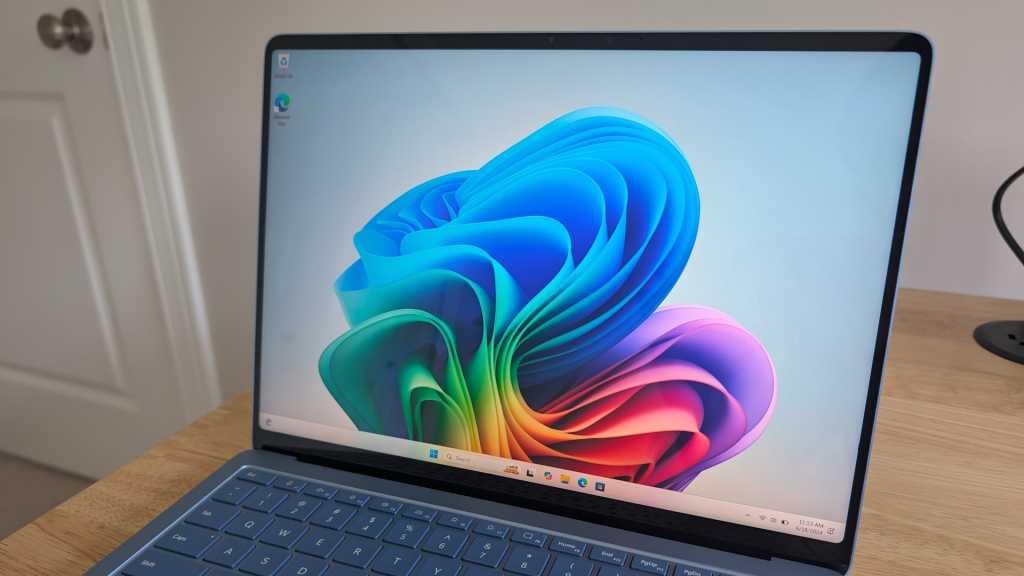
All new PCs will soon be “AI PCs,” whether they have Intel, AMD, or Qualcomm hardware inside. And as the era of AI PCs comes upon us, a whole new language of technical terms has also popped up.
Here’s a helpful guide to all the AI-related tech terms you need to know. Whether you’re reading a PC manufacturer’s spec sheet or news coverage about the latest AI hardware developments, everything here is essential knowledge to grasp going forward.
AI PC
Chris Hoffman / IDG
Chris Hoffman / IDG
Chris Hoffman / IDG
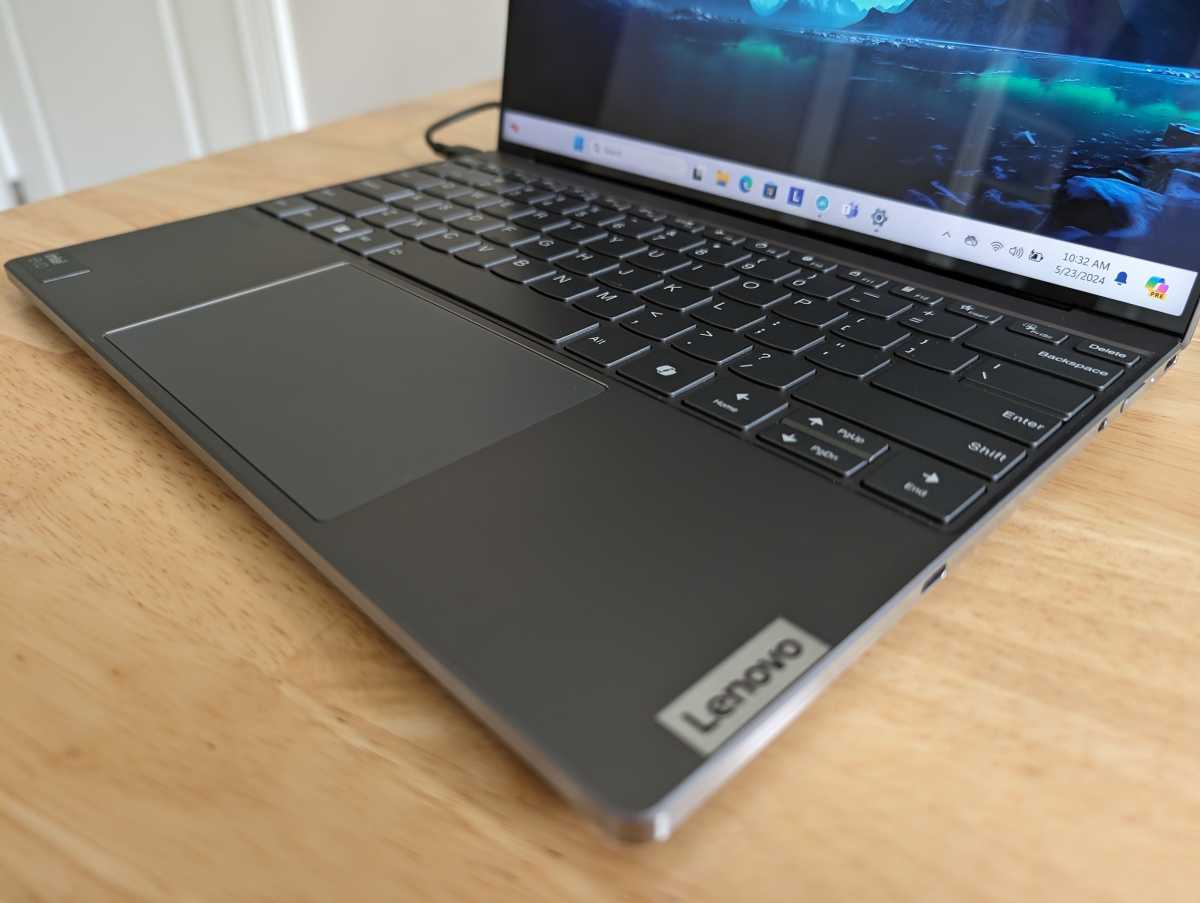
An AI PC is a PC that can run AI tasks. Yes, that means nearly any PC can technically be an AI PC. As a result, this term is somewhat squishy, hard to pin down, and needlessly confusing.
Manufacturers often use “AI PC” to refer to a PC with an NPU (neural processing unit), which is a hardware component that’s optimized for running AI tasks in a low-power way. However, a powerful GPU (graphics processing unit) is still the fastest way to run many AI tasks—so your years-old gaming PC may be a powerful AI PC. Some AI tasks can even run well on the average CPU.
Related: What exactly is an AI PC? Explained
On the other hand, you don’t actually need an AI PC to run many AI applications—because many AI applications perform all their AI processing work on cloud servers. Whether you’re talking about Firefly in Adobe Photoshop or Copilot Pro in Microsoft Office, you don’t need an AI PC for these AI workloads since the work is being done on Adobe’s or Microsoft’s cloud servers. That’s just two examples.
The confusion around the name “AI PC” is one reason why the industry is already moving away from it. Now everyone is talking more about NPUs and Microsoft’s new “Copilot+ PC” branding. (See below for a deeper explanation of Copilot+ PCs.)
AMD XDNA
AMD XDNA is AMD’s neural processing unit (NPU) architecture; it’s AMD’s “AI Engine.” Like the Intel AI Engine and Qualcomm Hexagon NPU, this hardware is designed to run AI tasks on a PC in a power-efficient way.
It’s separate from the CPU and GPU. It can run AI tasks faster than a CPU and with less power consumption than a GPU. Plus, it doesn’t compete for resources, so those AI tasks won’t take processing power away from your CPU or GPU as they perform other computing tasks.
The XDNA hardware is already here on parts like the AMD Ryzen 7000 series. AMD is also working on upgraded “XDNA 2” hardware that will be included with future computing platforms like Strix Point.
Apple Intelligence
Apple Intelligence is the name for Apple’s collection of AI features that will come to Macs starting with macOS 15 Sequoia as well as iPhones and iPads starting with iOS 18 and iPadOS 18.
Apple’s AI features will be a collection of helpful features that run on the devices themselves along with integration with cloud-based AI tools like ChatGPT. Apple Intelligence will be integrated deeply into Apple’s devices, including in the Siri voice assistant.
You can think of Apple Intelligence as the Mac’s answer to all the Copilot+ PC features that Microsoft is pushing.
Copilot
Chris Hoffman / IDG
Chris Hoffman / IDG
Chris Hoffman / IDG
Copilot is Microsoft’s AI chatbot. Originally called Bing Chat, Copilot is based on the same GPT technology that powers OpenAI’s ChatGPT, and it performs similarly.
Copilot is now pinned to the taskbar by default on both Windows 11 and Windows 10 PCs, and you can also access it via the Copilot website.
It’s worth noting that Copilot does all its processing work in the cloud. No matter how fast or slow your PC might be, Copilot will not use your NPU or any other hardware to do any processing. Whether you’re accessing Copilot from a powerful AI PC, a browser on a Chromebook, or an app on a smartphone, it will offer the same experience.
Copilot+ PC
Copilot+ PC is Microsoft’s branding for a new wave of PCs that have faster NPUs (neural processing units). These PCs get access to extra AI features in Windows that older AI PCs with slower NPUs don’t get.
At launch, the only Copilot+ PCs are the Arm-based Qualcomm Snapdragon X PCs. However, future hardware from Intel (starting with Lunar Lake) and AMD (starting with Strix Point) will also be eligible for the Copilot+ PC designation.
To be branded a Copilot+ PC, a PC must have an NPU capable of 40+ TOPS (trillion operations per second), at least 16GB of RAM, and at least 256GB of storage. They must also have a compatible processor—right now, only a Snapdragon X Elite or Snapdragon X Plus chip qualifies.
The exclusive AI features for Copilot+ PCs are slim pickings at the moment. You get access to offline live captions, image generation tools in Paint and Photos, and webcam effects with Windows Studio Effects. The controversial Windows Recall feature was pulled and delayed ahead of launch due to backlash over privacy concerns.
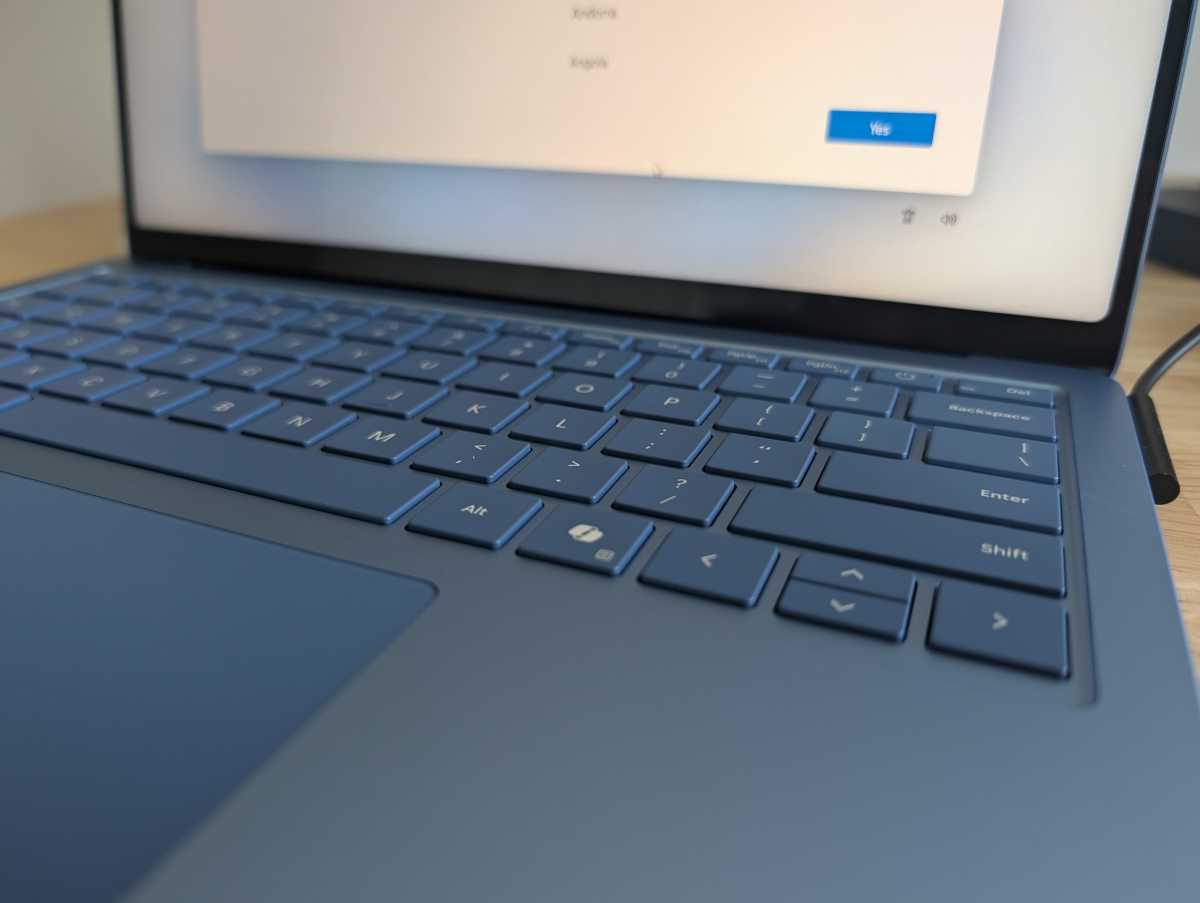
Despite the name, Copilot+ PCs don’t offer an enhanced Copilot chatbot experience. They have a Copilot key on the keyboard for launching Copilot, but Copilot itself works the same as it does on any other PC. It doesn’t use the NPU, solely relying on Microsoft’s cloud servers.
In the future, all PCs will likely become “Copilot+ PCs” as the powerful NPU hardware becomes standard. When that happens, I expect the term will gradually fade away.
Related: Copilot+ PCs, explained
Copilot Pro
Chris Hoffman / IDG
Chris Hoffman / IDG
Chris Hoffman / IDG
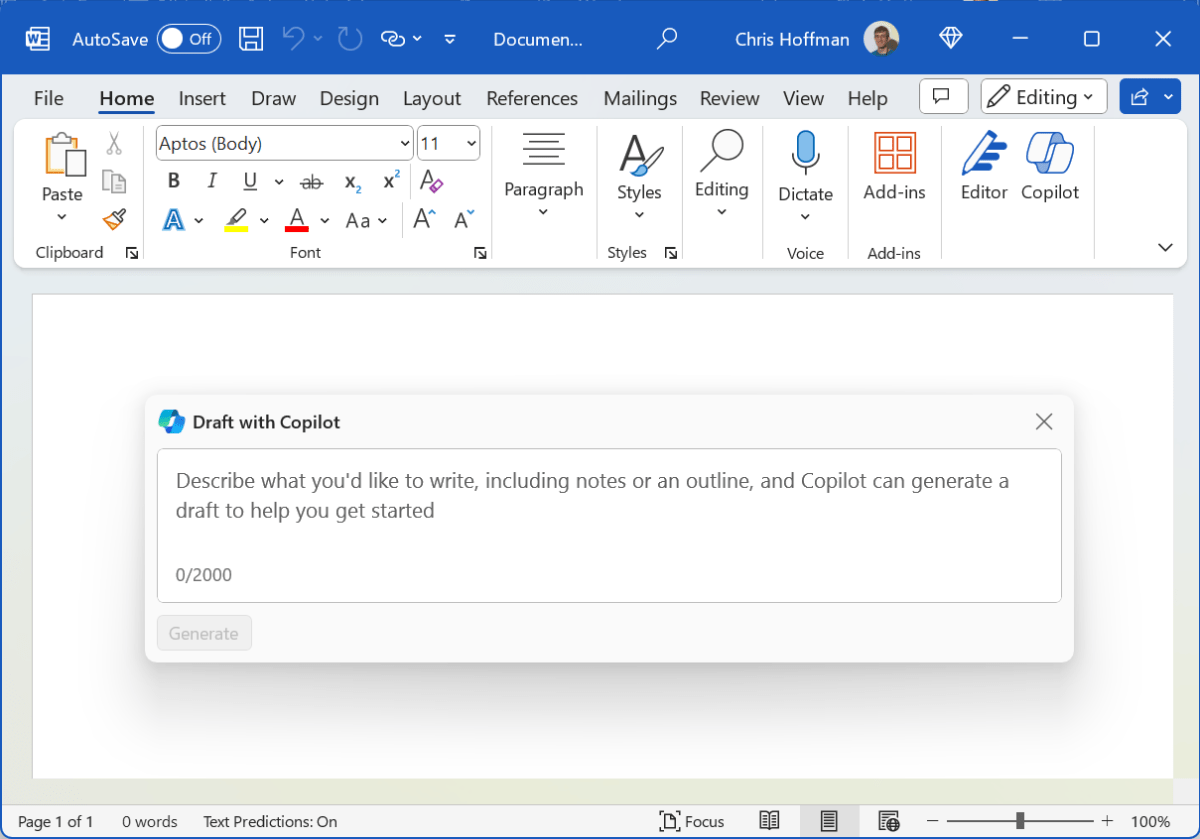
Copilot Pro is Microsoft’s paid subscription service for its Copilot chatbot. Copilot Pro enables Copilot integration in Microsoft Office apps like Word, Excel, Outlook, and PowerPoint.
Even if you don’t use Office, it also gives you priority access to the Copilot chatbot and more AI image generation credits for its AI image generation tool, which is powered by OpenAI’s DALL-E 3 model.
DLSS
Nvidia’s DLSS (Deep Learning Super Sampling) was one of the first AI features that many PC users embraced. Exclusive to Nvidia GeForce RTX GPUs, DLSS uses AI to enhance and upscale graphics in PC games.
Basically, the GPU first renders the game in a lower resolution, and then uses AI to upscale the graphics to a higher resolution. This often results in very good image quality with a big performance improvement. In other words, you get more FPS at the same level of image quality.
More on this: Nvidia’s DLSS 3, explained
Other companies are doing similar things now. For example, Windows 11 now offers Automatic Super Resolution for upscaling games with the NPU, built right into the operating system. This only works on Qualcomm Snapdragon X-powered laptops at launch, but it will likely come to future Intel and AMD laptops.
Gemini
Gemini is Google’s AI assistant. You’ve definitely seen it around.
If you have a modern Android phone or Chromebook, you likely have Gemini built in. If you use the Google search engine in your web browser, you’ll often see AI answers powered by Gemini. You can also access Gemini via its dedicated website and in other Google applications.
Like Copilot and ChatGPT, Gemini does all its work on powerful cloud servers whether you access it from an AI PC, a Pixel phone, or an iPhone.
GPT
GPT stands for “Generative Pre-Trained Transformer,” which is a type of large language model (LLM) that uses artificial neural networks for natural language processing (NLP) and content generation.
It was made famous by ChatGPT, the first big AI chatbot to take the world by storm. Both Microsoft Copilot and ChatGPT use an underlying model like GPT-4 or GPT-4o. The term “GPTs” can also sometimes refer to different types of customized chatbot experiences.
GPU
A GPU is a graphics processing unit (sometimes interchangeable with “graphics card,” but a graphics card holds the GPU plus other bits). The GPU has been a core part of modern PCs for many decades. But despite the name, a GPU isn’t only for rendering graphics.
As it turns out, GPUs are better than CPUs at performing certain types of calculations. That’s why GPUs were so important for cryptocurrency mining, and that’s why they’re so essential for AI applications today.
A high-end modern GPU is the fastest way to run local AI applications like AI image generators. Yes, they’re even faster than NPUs! The only catch is that GPUs are more power-hungry. NPUs are faster than CPUs at running AI tasks, but they’re more power-efficient than GPUs.
That’s why NPUs are part of the long-term plan for running AI applications—they can perform AI tasks without draining battery life. Additionally, offloading AI tasks to an NPU means that your computer can dedicate all of its GPU power to other important tasks, like playing PC games and running professional-grade graphics rendering tools.
Intel AI Boost
Intel AI Boost is the name of Intel’s NPU (neural processing unit). Current Intel Meteor Lake hardware includes an NPU, but it isn’t fast enough for Microsoft’s Copilot+ PC requirements.
Intel says future NPUs in its upcoming Lunar Lake hardware platform will deliver up to 48 TOPS (trillion operations per second) of performance.
For now, though, an NPU in an Intel Meteor Lake-powered laptop enables access to some extra webcam tricks with Windows Studio Effects. Aside from that, you’ll have to hunt down third-party applications that use the NPU for something, as nothing else is built into Windows.
LLM
LLM stands for “large language model,” which is a type of computing model that can process and generate language.
Modern chatbots like Microsoft Copilot, OpenAI’s ChatGPT, and Google Gemini use large language models. A large language model is an artificial neural network that’s been trained on vast amounts of text data.
NPU
Microsoft
Microsoft
Microsoft
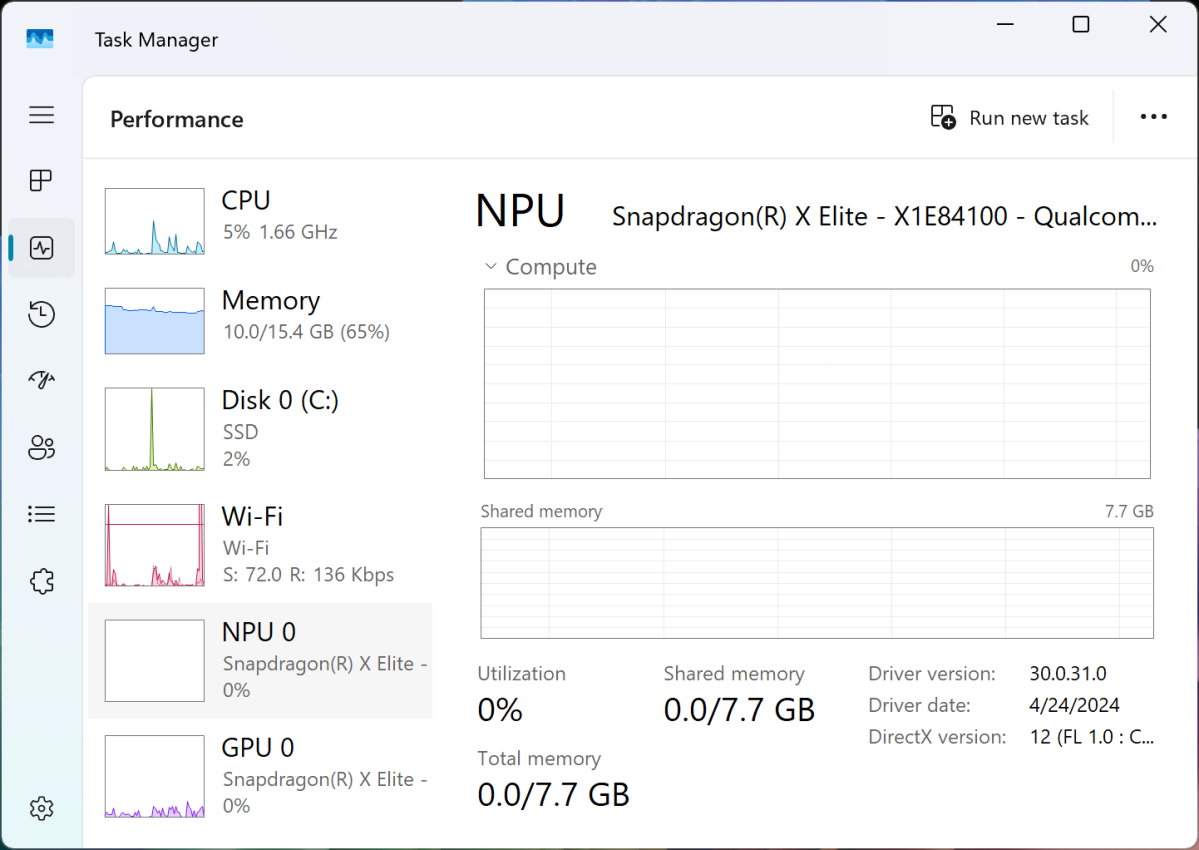
NPU stands for “neural processing unit,” which is a type of computer component that provides a power-efficient way to run AI tasks—it’s faster than a CPU, but uses less power than a GPU.
An NPU like AMD XDNA, Intel AI Boost, or Qualcomm Hexagon is becoming a fixture in modern PC hardware platforms. You’ll need an up-to-standards NPU to run Copilot+ PC features on Qualcomm Snapdragon X PCs and Windows Studio Effects on Intel Meteor Lake laptops.
Qualcomm Hexagon
The Qualcomm Hexagon is the NPU (neural processing unit) included with Qualcomm’s Snapdragon X Elite and Snapdragon X Plus hardware.
All Snapdragon X variations have the same NPU, which offers up to 45 TOPS (trillion operations per second) of performance. This is the only NPU that can power those hyped-up Copilot+ PC features at launch.
RTX
Nvidia’s GeForce RTX GPUs are one of the fastest ways to run high-performance local AI workloads. The RTX branding refers to real-time ray tracing, but RTX GPUs have been powering AI features for a long time. For example, Nvidia’s DLSS (Deep Learning Super Sampling) technology has been capable of upscaling PC games since 2019.
TOPS
TOPS stands for “trillion operations per second.” It’s the agreed-upon metric for comparing the performance of different NPUs. (In the future, I imagine we’ll be doing more NPU benchmarks as benchmarking tools mature. TOPS alone likely won’t be the only metric that matters.)
Windows Recall
Microsoft
Microsoft
Microsoft
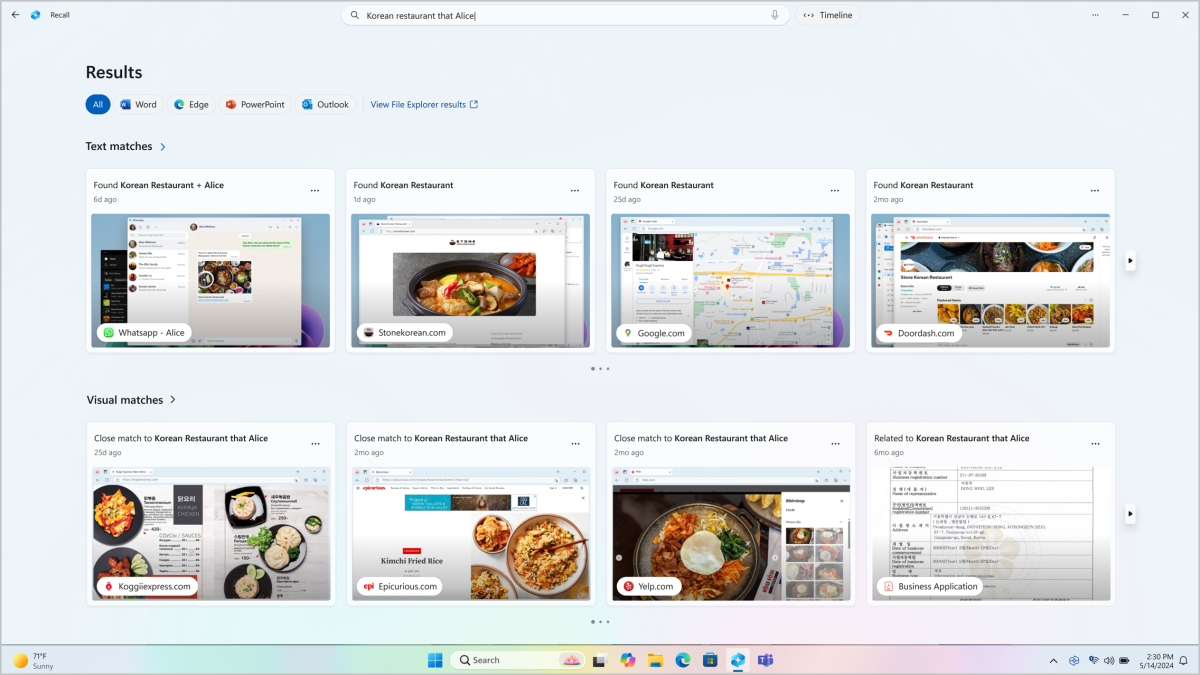
Windows Recall is the controversial AI feature that was the centerpiece of Microsoft’s Copilot+ PC push. This feature takes screenshots of your PC’s display every five seconds and then lets you search through your PC usage history using plain text, much like using a chatbot.
Related: Windows Recall could solve my biggest problem in tech
Microsoft promises that Recall is all performed locally, that your data will never be sent over the web, and that everything is stored securely. You also have control over it—you can turn it off if you want, or prevent it from capturing certain applications.
After a big marketing push and on-stage demonstration, Microsoft scrambled to remove Recall ahead of the launch of Copilot+ PCs, even delaying review units from being sent out. The company now says that Recall will be tested in the Windows Insider Program before rolling out more widely, perhaps later in 2024.
Recall will only be usable on Copilot+ PCs. At launch, that means Qualcomm Snapdragon X Elite and Snapdragon X Plus-powered PCs. Future Intel and AMD laptops with more powerful NPUs will likely qualify and be able to run Windows Recall, too.
Windows Studio Effects
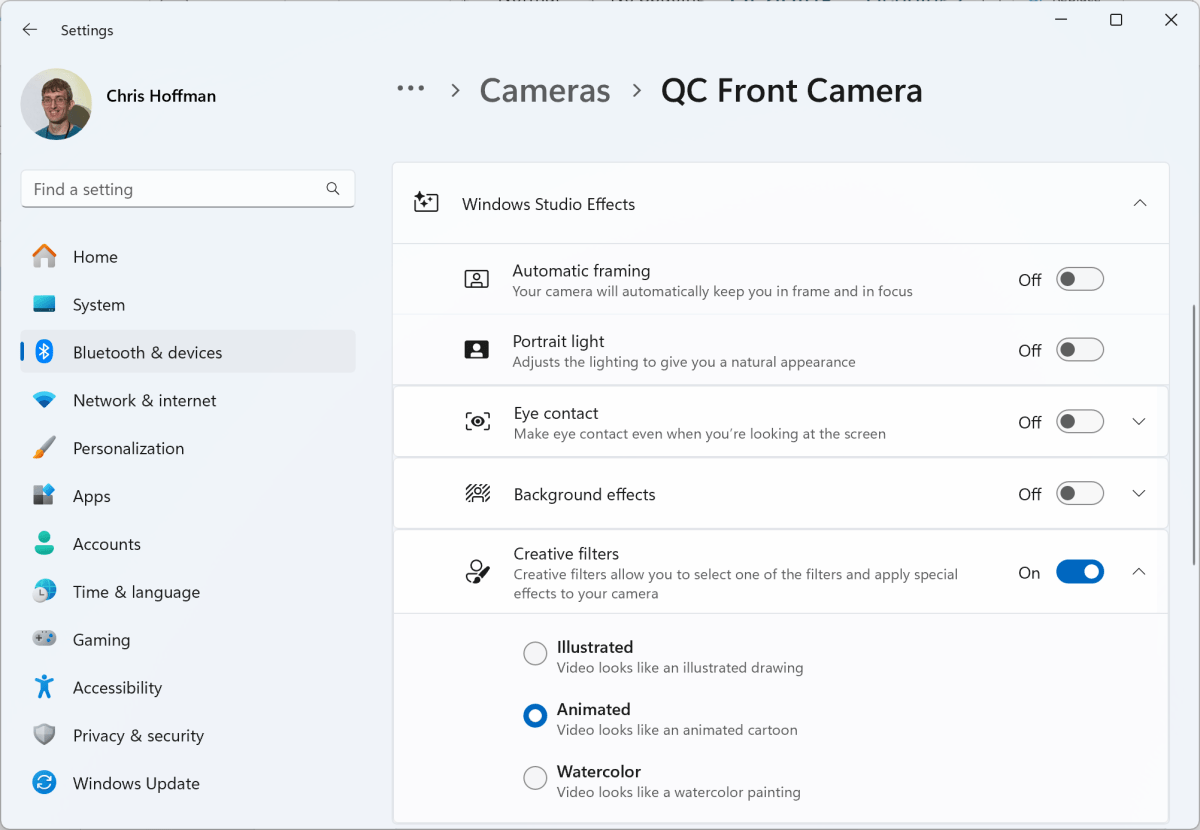
Windows Studio Effects is a collection of webcam effects found on Copilot+ PCs as well as current Intel Meteor Lake-powered AI PCs. This is the only built-in experience that uses the NPU on Meteor Lake-powered laptops with Windows 11.
Windows Studio Effects includes a variety of effects that can be applied to your webcam’s video feed in real time. For example, you can enable an “Eye contact” feature that makes it look as if you’re looking at your webcam even if you aren’t. Another one blurs your background.
These effects work in any application that uses your PC’s built-in webcam, and it uses the NPU to apply these effects in a power-efficient way without draining your battery too quickly.
Chris Hoffman / IDG
Chris Hoffman / IDG
Chris Hoffman / IDG
While Windows Studio Effects are nice to have, I don’t think they’re reason enough to buy an AI PC, and certainly not a Meteor Lake-based AI PC. Intel’s Lunar Lake is what the first AI PCs should have been.
As more laptops ship with powerful NPUs, third-party application developers will likely start using them to add powerful AI features to their Windows desktop applications, putting the powerful PC hardware to use. I’m sure that’s what Microsoft is hoping for, anyway.
If you’ve gotten this far, congrats! You’re now up to speed on all the most important AI PC terminologies, and you should understand enough now to see where all of this might be heading soon.
